AKASO contacted us and asked if we would like to test their V50X Action Cam, which is priced at under $100. We jumped on the opportunity. For a long time, I wanted to find a cheaper GoPro alternative.
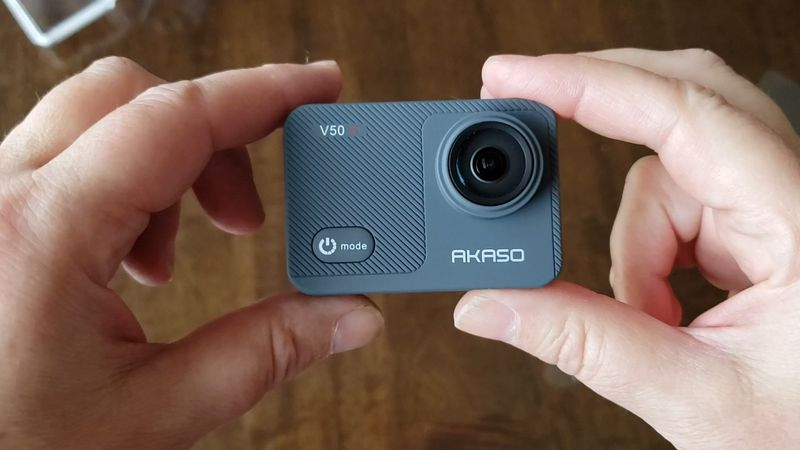
Why buy an AKASO over a GoPro then? PRICE. The AKASO retails at under $100 USD while the latest GoPro is four times more expensive!
While I love my GoPro Black camera, the price has never been a favorite. The latest GoPro camera costs around $400 USD, without mounts but with the micro SD card.
This is a quick overview of the AKASO features and what you get for 100 dollars.
Specs:
- Video Resolutions: 2K or 4K video at 30fps, or 1080P at 90fps
- Photo resolution: 12M/10M/8M and 4M at jpg format
- Waterproof to 131 feet
- Micro USD/HDMI Input/output
- RoadCam App: WiFi connectivity
- Touchscreen (only in cases that are not waterproof)
What’s included:
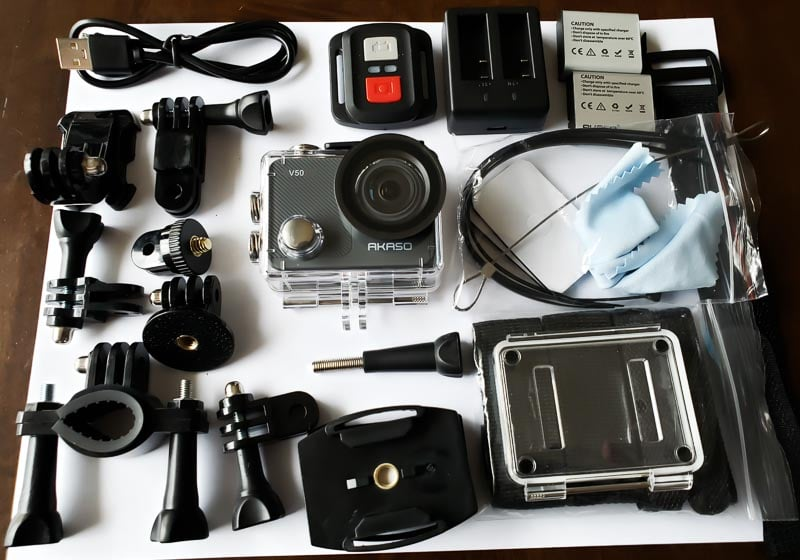
- AKASO V50X action cam
- Waterproof Case
- Remote control (included).
- two – 1340 mAh batteries
- Mounts and Accessories
- Micro SDHC Card is required (not included).
The AKASO doesn’t come with a MicroSD card. Buy a cheap SanDisk MicroSD, which is under $10. Or a more expensive Samsung Micro SD Card that costs around $80.
AKASO V50X does not come with a case. This is a little annoying. I don’t like the idea of scratching the lens, either on the camera or the plastic that covers the lens in the underwater case. As a temporary measure, I am carrying my AKASO in an old sunglass case.
The mounts are compatible with GoPro Accessories, so you can also use them with your GoPro.
We’ll test the quality of video and images next.
Is the AKASO V50X easy to use?
We asked our 11-year-old to take pictures and videos of our cat to see how easy it is to use the AKASO V50X.
She was very happy with her assignment.
I showed her the button to press to switch from video to picture mode.
She tested the photo, video and slow-motion modes. She tested out the microphone by recording a kitten purring.
Her videos were great, but the majority of her photos were blurry. It could be that there was not much light and she is still learning how to hold the camera steady when taking pictures. When I used the camera, I never had any problems with blurry pictures.
She did, however, take this photo of our cat at a very close distance, making it look like an alien. It makes me laugh each time I see the picture.
How’s the AKASO Microphone V50x?
I had low expectations because action cameras are not known for their great sound quality.
The microphone definitely sounds muffled when the case is waterproof. This is the same for higher-end action cameras with outer cases, and it’s something that the GoPros all had in common. AKASO V50X comes with an outer case with holes for the microphone (not to be used under water!) You can improve the sound by using a mounting.
I was impressed with the sound quality of the action camera when my 11-year-old recorded our cat purring in its case.
If you’re looking to improve the sound quality of your recordings, an external microphone can be used with the AKASO V50X.
How is the AKASO V50X stabilized?
Overall, image stabilization was good.
Even our 11-year-old son can use it to stabilize images when held in hand.
How long does the AKASO V50X battery last?
It is simple to charge the Vikaso V50X batteries. The AKASO charger base is compatible with both batteries included, and charges via USB.
It is easier for me to charge my AKASO directly using a USB cord.
You can charge the AKASO while using it if you have a USB cable or a powerbank.
AKASO claims that each battery can support 60 minutes video recording at 4K at 30 frames per seconds (or 180 minutes at 1080p). In reality, I got about 40 minutes of recording time at 4K at 30 frames per second.
What is the AKASO V50X like under water?
The V50X is waterproof, according to AKASO, up to 131 feet. That’s pretty impressive. AKASO claims that the camera’s menu setting includes a diving mode, which compensates for the lack red light in underwater shots. Unfiltered or unedited underwater photos often show a lot of blue and green tones because water filters out the red light.
With the underwater case attached, it’s easy to change between modes such as Photo, Video Self Timer and Time Lapse. While the underwater case is on, you may not be able to access the settings for changing the self-timer duration, resolution, etc. It’s a little annoying.
We were unable to test the V50X underwater. We couldn’t test the camera because it was too cold in Canada. This section will be updated once we have had the chance to test it.
How do you get your photos and videos off the AKASO V50X camera?
You can easily transfer your photos and video to your smartphone, tablet or computer.
You can either manually insert your micro SD card in your computer or use an adapter (our computer only accepts standard SD cards).
Tip: Click USB storage in the AKASO menu which appears when you connect AKASO via USB. The AKASO MicroSD Card will be visible and accessible.
You’ll have to purchase a Micro SD Card before using the AKASO V50X.
The price of a SD card can vary from $5 to $80, or even more depending on its storage. If you plan to shoot 4K video in particular, you should invest at least a micro SD card of 256GB, otherwise you will run out of space pretty quickly.
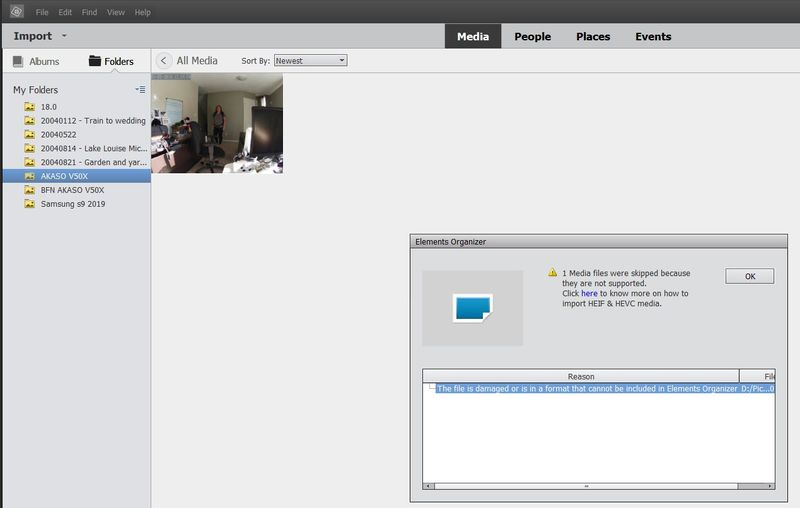
AKASO CODECS V50X AND H.265
AKASO, like most action cameras out there uses either H.264 or a H.265 compression. You can select which one you want in the settings. H.265 offers high-quality video and smaller files, but older computers may struggle to view or edit the videos.
You can find more information here: https://helpx.adobe.com/premiere-elements/using/hevc-decoding-on_windows.html. You can find more information.
It took me a few steps to play the AKASO V50X natively on my PC Laptop. I first had to install the codec and then restart my computer.
Charles, being a smart guy, set up our AKASO recording settings in H.264. This is easier to use on my old computer. H.265 is smaller but older computers may have a hard time reading it. If you bought your computer within the last four years, it should have H.265 built-in. Otherwise, you might want to stick with H.264.
YouTube is a good option for viewing and editing videos.
When we first started shooting, we made the mistake of not removing the date and timestamp from videos and pictures. It is hidden in the settings menu. On some of our videos, you may have noticed the time and date stamp.
What’s the V50X documentation like?
AKASO comes with a quick reference guide, which is pretty basic and only has a simple diagram showing the components of the camera. The AKASO comes with a quick reference guide that is pretty basic, and only has a simple diagram of the camera’s components.
The manual itself includes all the essentials, such as menu options and switching between modes. The user guide has an informative section that shows how to mount your camera on different objects, such as a helmet, bike or tripod.
Use the ROADCAM App with the AKASO V50X
The RoadCam application allows you to download videos and photos from your AKASO and take photos. This is particularly useful if your AKASO is on a tripod and you want to use your phone to set up a video or photograph.
The RoadCam experience is a 3/5, even though we love the camera. The app is functional, but it’s limited in its functionality and feels like an extra.
How to set up RoadCam with the AKASO v50x:
- Install RoadCam on your Android or Apple device ( Android ).
- Press the Up button for 3 seconds to turn on the AKASO wifi signal
- Sync your phone to the AKASO wifi. You’ll need to enter a password in order to connect your smartphone to the AKASO wifi. You can find the password in the manual. However, you might need to search in the French section.
- Click the Up button to turn WiFi off on the AKASO.
Note: If WiFi is enabled, the AKASO menu will not be visible.
The English manual of AKASO had an error, which stated that you could activate AKASO wifi by turning on the camera and pressing the Up button. In the French instructions, however (I am Canadian so I can read some French), it says to hold the up button down for 3 seconds in order to run WiFi. It turns out that the French instructions are correct!
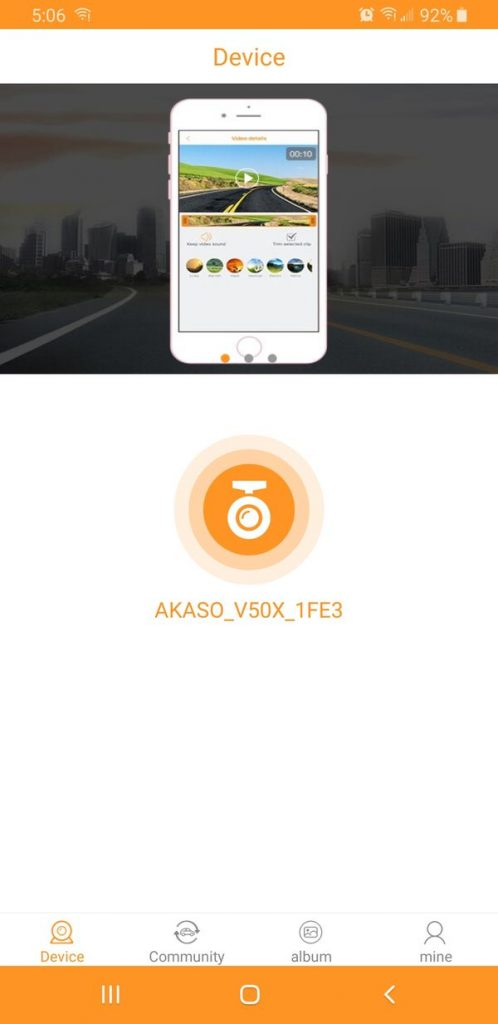
There are also no instructions in English for how to use the RoadCam App with the AKASO V50X.
The RoadCam application allows you to take photos or videos. The app is a little buggy. When I recorded a video the RoadCam view never changed when I moved the camera. It was hard to tell what I was recording.
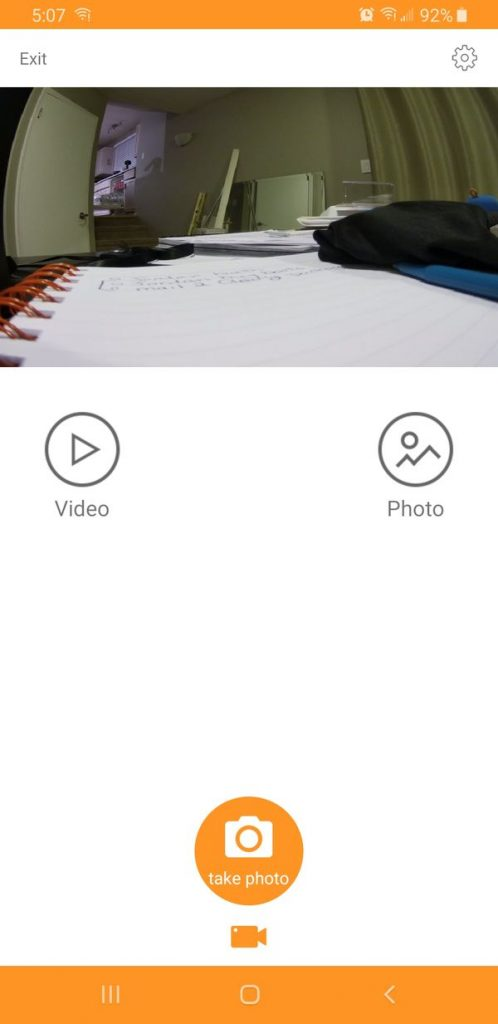
RoadCam allows you to download images or videos directly onto your smartphone. It’s a great way to upload photos or videos to social media sites, or to move them to a smartphone editor. RoadCam allows you to delete both photos and videos.
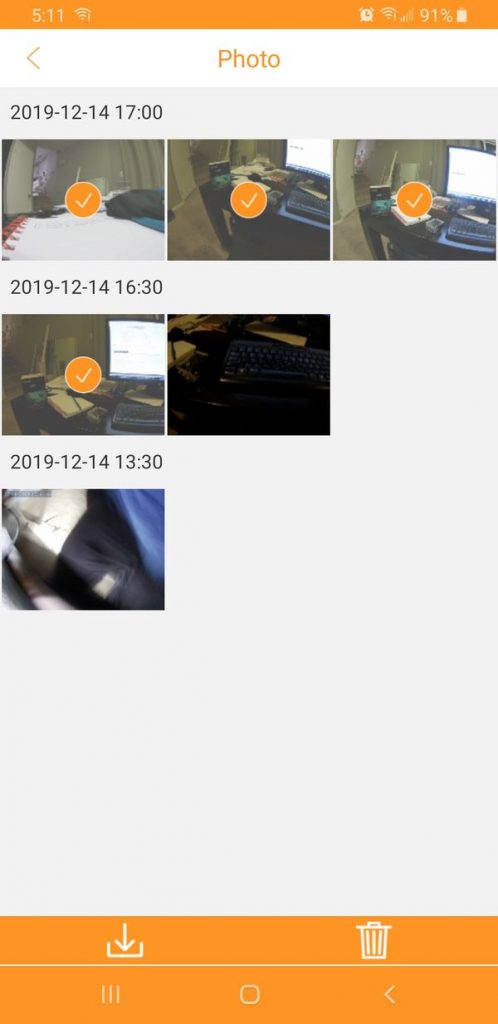
Roadcam doesn’t allow you to edit videos or photos, but once you copy the files to your device, either using the tools built-in or downloading one of hundreds of video editing apps available on the market.
The AKASO battery is not visible in RoadCam or on the AKASO.
Since I haven’t tested this extensively, I cannot say for certain, but I felt that the AKASO’s battery ran out pretty quickly in WiFi mode. The battery was at 70% after less than 10 minutes in WiFi mode. In WiFi mode, the AKASO felt warm (not hot but warm enough to feel like it was working at capacity).
Final Thoughts on the AKASO V50X
Overall, the AKASO V50X action camera is a good little camcorder for less than $100.
It feels well-made and does an excellent job with its basic functions, such as taking high-quality photos and videos. Outdoor shots are its strongest suit, especially when there is plenty of lighting. It’s not bad for indoor shots as long as you have enough light. Otherwise, the shots may look grainy.
It’s good to know that this camera will still be useful in years to come, even if technology advances.
The AKASO V50X is a great option for anyone who wants to capture decent action cam videos and photos, but doesn’t want to spend a lot of money on the latest GoPros.
Accessories are included as a bonus, as is the waterproof case and remote control. The app is a little clunky and the sound at times can be muffled, but for the price, you get a lot.